For tradespeople
Write the estimate at the kitchen table, turn it into an invoice with one tap, and email a branded PDF — with your payment links and a scannable QR code on it — before you pull out of the driveway.
iPhone · iPad · Mac / iOS & iPadOS 18.6+ · macOS 15.6+
What it does
No accounts to make, no server to trust, no monthly bookkeeping ritual. Open it, write the work down, send it.
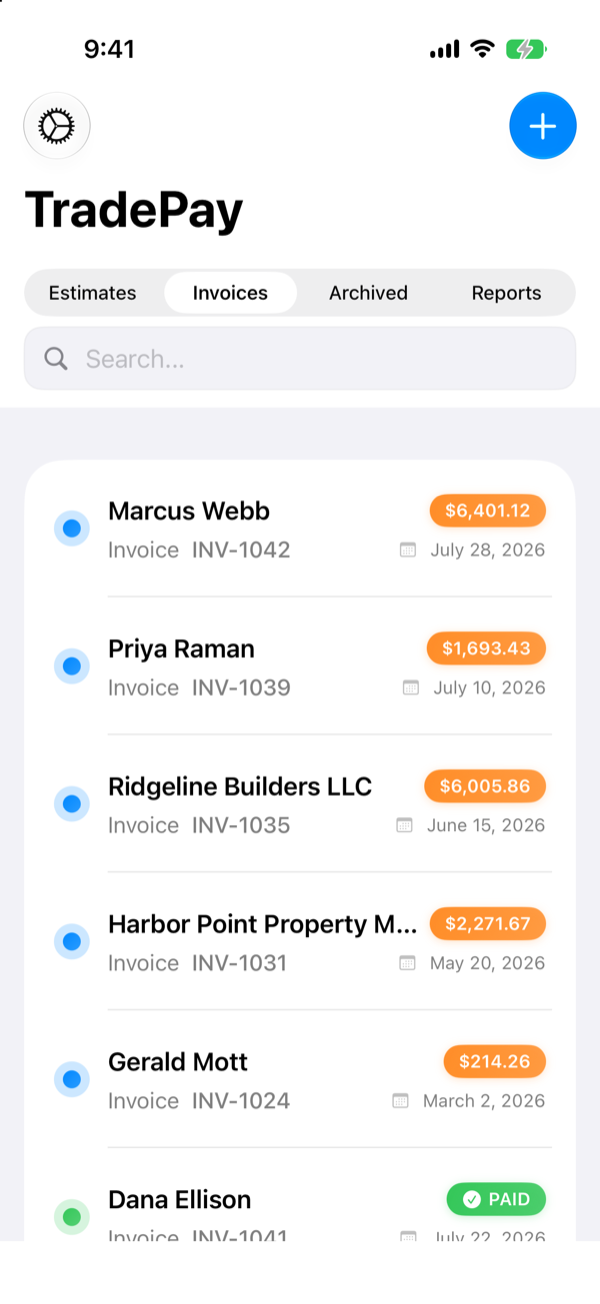
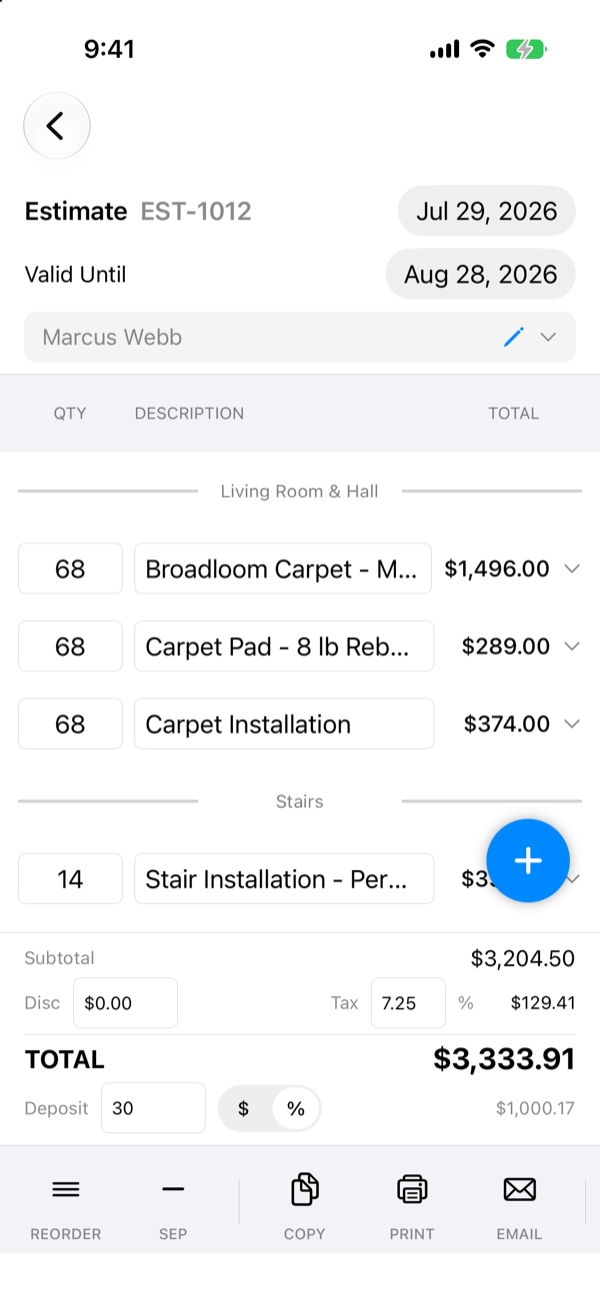
The same document becomes an invoice when the customer says yes — no retyping. Estimates carry an expiry date and flag themselves when it passes.
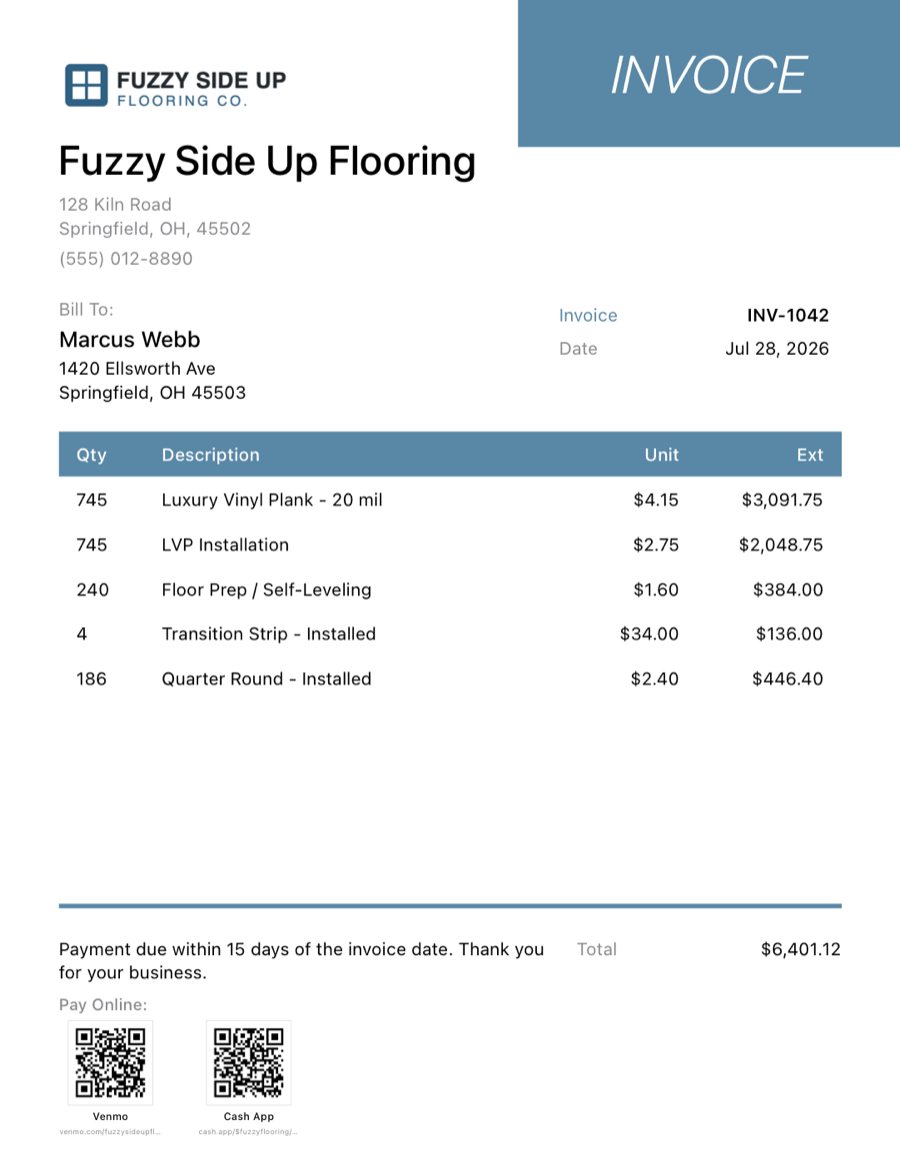
Your logo, address, numbering (INV-1042), and standard terms print on every PDF. Run more than one company from the same app, each with its own branding.
Zelle, Venmo, PayPal, and Cash App details ride along on the invoice — the QR code carries the exact balance due, and it's drawn on your device, not fetched from anyone.
Record the deposit check and the final payment separately. TradePay keeps the running balance and stamps the invoice PAID when it's covered.
Attach your liability certificate, workers' comp, and license to the same email, and generate a filled, signed W-9 when a builder asks for one.
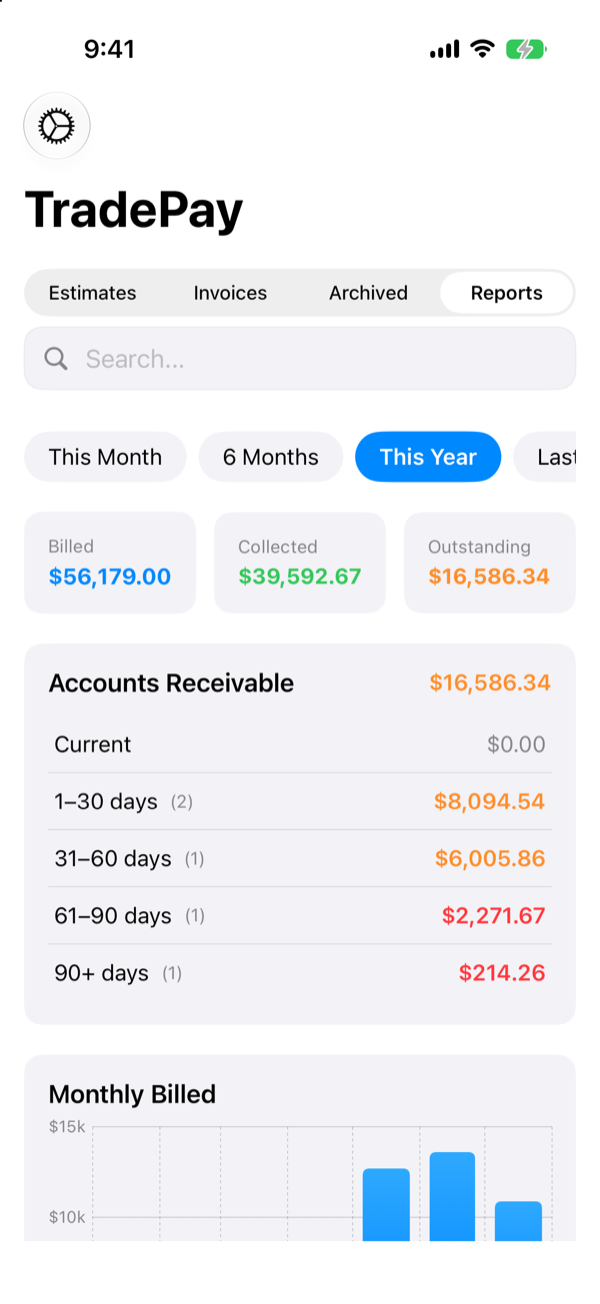
Billed, collected, and outstanding for any period, plus receivables aged into 30 / 60 / 90-day buckets so the follow-up calls write themselves.
Details that save the callback
Save the work you quote every week — service call, tear-out, per-square-foot labor — with prices and descriptions. Favorite the ones you use daily and tap them into a document.
Import a customer straight from Contacts, or save one as you type. Private notes stay private — they never appear on anything you send.
Write it on the phone in the driveway, tidy it up on the iPad, print from the Mac. iCloud keeps all three in step, and it works offline when there's no signal.
Finished a takeoff in Floored? Send the customer and measured materials over and TradePay builds the estimate with your prices already in it.
Set the text size and typeface app-wide, so the app suits your eyes on a bright driveway. Your printed invoices stay exactly as they were.
File finished work out of the way. It stays searchable and still counts in your reporting history — it just stops nagging you from the top of the list.
On the job
Real screens from a real week's work.
The deliverable
One page, your branding, and a QR code that opens their payment app with the balance already filled in.
Privacy
TradePay has no analytics, no advertising, no trackers, no login, and no server of ours to phone home to. Your invoices, customers, and tax details live on your devices and in your own iCloud account, where we can't reach them. Read the privacy policy — it's short, because there's little to disclose.
Pricing